NPMCA field guide · Public tools and downloads
How to Add Liquid Road to Your Pavement Maintenance Business
Add Liquid Road only after confirming the exact product, road or parking-lot specification, trained application system and supplier support. Keep the add-on budget and supplied-versus-mixed quantities separate, with no automatic coat or coverage defaults.
Author: NPMCA · Updated · Version 1
Sources are checked; this is general education, not professional advice.
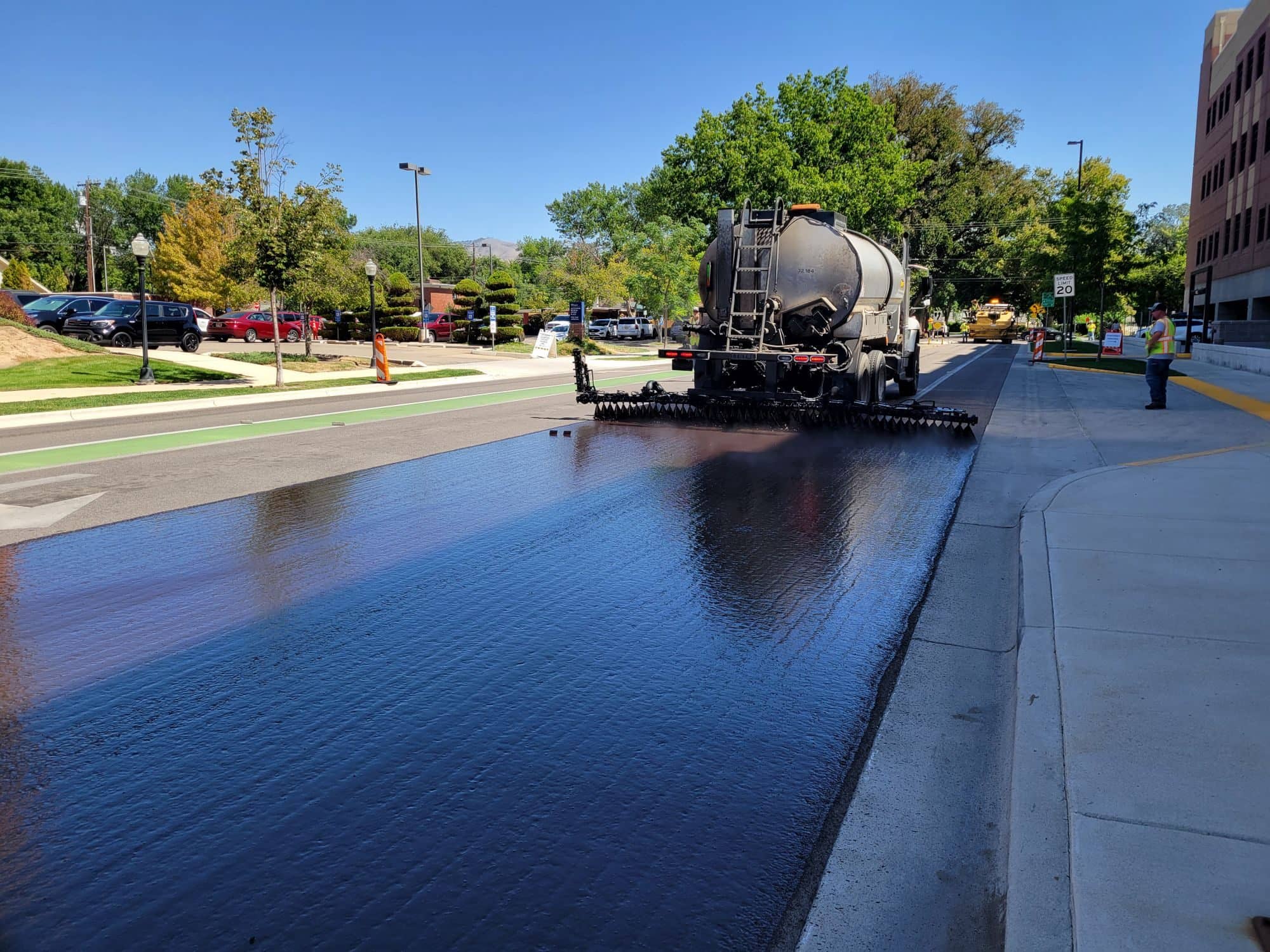
Photo: Tom Shamberger / Pexels, Pexels License
Before you start
- An established service scope and trained operator for the proposed application.
- Current manufacturer product/TDS/SDS and the correct application-specific documents.
- A measured site and written manufacturer/supplier equipment confirmation.
What you will finish with
- A product/version and equipment compatibility record.
- An incremental budget identifying owned assets and additional commitments.
- A supplier-confirmed material estimate and first-installation job packet.
Source note: sources below were checked as of October 11, 2026. Product revisions, local rules and your written quotes control the actual job. Unknown costs stay blank.
Understand the product and suitable pavement
Liquid Road is a SealMaster product system; suitability must be checked against its actual documents and the pavement assessment. Do not transfer claims from another coating or Liquid Road variant.
Manufacturer-defined uses
The manufacturer describes an asphalt-emulsion coating mixed with specified aggregate for pavement surface applications. Record the exact product rather than using the brand name as a substitute for a specification.
Existing failures that need repair
Photograph existing failures and list needed repairs outside the coating scope. Obtain a qualified assessment when the pavement condition is unclear; the proposal must describe preparation and exclusions.
Road and parking-lot specification differences
Use the document for the actual site. SealMaster provides separate parking-lot and road specifications; a parking-lot mix or procedure must not be assumed to govern road work.
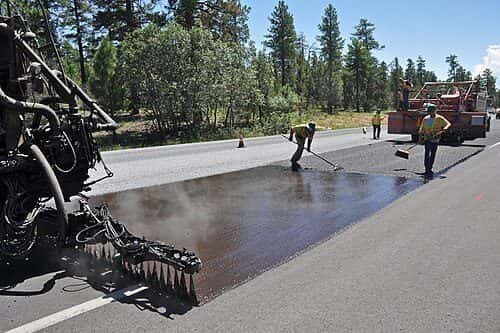
A truck-mounted distributor sprays a liquid asphalt treatment across a full lane.
Photo: Grand Canyon National Park / Wikimedia Commons, CC BY 2.0
.jpg)
Confirm training, supplier support and equipment compatibility
Obtain written confirmation before deciding your existing rig can deliver the selected system. A supplier's equipment description should name the actual product, mix and application.
Application, agitation and aggregate handling
Confirm agitation, aggregate handling, transfer and the specified squeegee/spray method, plus operator training and support. Save the exact equipment and product document revisions.
What an existing sealcoating rig can actually support
Inventory the tank, agitator, pump, hose, tips, transport and loaded weight. Have the manufacturer or qualified supplier identify incompatible items and required changes before a purchase or booking.
Budget the add-on at three operating levels
Compare an add-on at part-time, full-time solo and crew operating levels. Use the same categories and show only the costs that change, while retaining shared overhead in the full business budget.
Incremental equipment, materials, training and working capital
Quote new equipment, materials, training, transport changes, test work and cash needed before payment. No supported complete incremental cost range is available, so unknown amounts remain user inputs.
Costs already owned versus newly required
Mark an owned asset only after its condition and compatibility are confirmed. Record inspection, servicing or replacement costs where needed; owned equipment is not automatically cost-free to use.
Calculate material using the correct basis
Calculate each confirmed application area and coat on its documented basis. The tool requires entered rates because manufacturer confirmation of the current application system has not been obtained.
Supplied product versus mixed application volume
Label gallons of supplied product separately from gallons of mixed application material. Use the approved mix yield to connect them, and keep aggregate quantities in their stated units.
Product/version, coats and selected application
The product landing page and parking-lot technical documents describe different coat/application details. Save the current revision and requested application, and resolve the difference with SealMaster before choosing rates or a coat schedule.
Supplier confirmation and a test area
Ask for written confirmation of the document, mix, coat areas and coverage basis. Plan a supervised test area and keep measured usage; do not average inconsistent specifications.
Build a documented proposal
Write a proposal that the product documents and your site record can support. The customer should be able to see what will be prepared, applied, checked and excluded.
Surface assessment, prep and scope
Attach the site assessment, net area, repair boundaries, confirmed system and preparation. Identify responsibility for any work needed before the coating.
No unsupported lifespan or savings promises
Describe the agreed material and work without promising an unsupported service life, economic saving or superiority over another treatment. No lifespan or savings figures are asserted in this guide.
Closure and weather provisions
Record access phasing, traffic closure, weather checks, schedule changes and reopening conditions from the confirmed product system. Name who maintains the closure and communicates with users.
Plan the first installation and quality record
Use the first-installation record to connect the confirmed product system with what happened on site. This planning sequence does not replace manufacturer operation instructions.
Current TDS, SDS and application specification
Retain the current TDS, SDS, application specification and supplier confirmation. Define TDS as the technical data sheet and SDS as the safety data sheet; the SDS does not certify batch quality.
Job-day checks, material records and handoff
Record batch, mix ingredients, coat areas, equipment, conditions, application checks and actual usage. Preserve completion photos, any corrective action and the documented customer handoff.
Present it as an add-on when it fits the customer
Offer Liquid Road as an add-on when the confirmed product and your trained operation fit the customer's pavement, access and purchasing requirements. Present the selected scope plainly and compare alternatives by their actual documented specifications, not unsupported life or savings claims.
Plan and confirm a Liquid Road add-on
Identify the product and site
Record the exact formulation, road or parking-lot application, measured footprint and existing-condition exclusions.
Resolve the specification
Obtain the current TDS, SDS and application document and ask the manufacturer to resolve coat or quantity-basis differences.
Confirm the rig and training
Inventory the actual equipment and retain written compatibility and trained-operator requirements.
Build the incremental plan
List owned assets, required purchases and sourced cash commitments, then calculate quantities from confirmed inputs.
Prepare the first-installation record
Plan the test area, batch/mix checks, site closure, weather decision and customer handoff.
Public tools
Use these without an account. Enter your own measurements and quotes. Save records on this device or export a copy for your job folder.
Materials calculator
Confirm the current road or parking-lot system with the manufacturer. No coat schedule or mix is preselected.
Approved mix components
Only from the selected mix design, per supplied gallon. Keep these components separate from the confirmed mixed yield.
Formula: sum of each coat area × its rate, plus specified partial-area treatment. Each coat uses net area unless you enter an override. Divide for area-per-gallon rates. If the specification rate is mixed material, divide application gallons by approved mixed yield for supplied gallons. If the rate is supplied product, application gallons are supplied gallons; multiply by yield for mixed gallons. Keep order basis separate. 1 sq yd = 9 sq ft.
Unit identities: NIST unit conversion tables, as of 2026-10-11. 1 US gallon = 231 cubic inches. Conversion constants do not establish product coverage. Excludes unsuitable pavement, unmeasured scope and material costs.
Records stay in this browser. Export before switching devices. Do not enter bank details, identification numbers or private customer information.
Your working record
Records stay in this browser. Export before switching devices. Do not enter bank details, identification numbers or private customer information.
Download the working documents
Version 1 · As of 2026-10-11. PDF for printing; DOCX and spreadsheets for editing. No email or membership required.
Tools you get as an NPMCA member
Confirmed access and plan limits
Optional member resources. Your plan and the member app determine access. The guide and its public tools work without membership.
Available catalog deals
These live catalog resources include practical tools, help and deals. Check each row's eligible plans and terms in the member app.
- PaveCare Navigator
Compare care price options for your membership and location. Confirm the selected service and final price with the provider. This tool is not insurance.
Plans: PaveCarePlus; NPMCA Business PavePro with PaveCarePlus. Catalog checked as of 2026-10-11.
- Deals, Perks & Savings
Browse member offers in NB Deals. Confirm account access and read the selected offer terms.
Plans: PaveCare; PaveCarePlus; NPMCA Business PavePro with PaveCare; NPMCA Business PavePro with PaveCarePlus. Catalog checked as of 2026-10-11.
- Travel — Member Hotel Rates
Member hotel booking with the current phone access shown in the app. Confirm the complete price and cancellation terms before booking.
Plans: PaveCare; PaveCarePlus; NPMCA Business PavePro with PaveCare; NPMCA Business PavePro with PaveCarePlus. Catalog checked as of 2026-10-11.
- More Travel Deals
Travel booking through the phone access listed in the member app. Check current booking terms.
Plans: PaveCare; PaveCarePlus; NPMCA Business PavePro with PaveCare; NPMCA Business PavePro with PaveCarePlus. Catalog checked as of 2026-10-11.
- LotDesk
Keep lots, quantities and proposals in one place. Open LotDesk from the member app home. An active business plan is required.
Plans: NPMCA Business Membership Only; NPMCA Business PavePro with PaveCare; NPMCA Business PavePro with PaveCarePlus. Catalog checked as of 2026-10-11.
- Business Tax Hotline
Help with business tax questions. This benefit does not process payroll or keep your books.
Plans: NPMCA Business PavePro with PaveCare; NPMCA Business PavePro with PaveCarePlus. Catalog checked as of 2026-10-11.
- Small Business Legal Plan
Business legal help under the plan terms. Confirm whether a particular question is covered and ask about fees before work begins.
Plans: NPMCA Business PavePro with PaveCare; NPMCA Business PavePro with PaveCarePlus. Catalog checked as of 2026-10-11.
- Credit & Collections
Tucker Albin referral help with unpaid business invoices. Active PavePro with PaveCare or PavePro with PaveCarePlus membership is required. Check provider terms; recovery is not guaranteed.
Plans: NPMCA Business PavePro with PaveCare; NPMCA Business PavePro with PaveCarePlus. Catalog checked as of 2026-10-11.
PaveCare health benefits are not insurance. Household access is an optional paid add-on. Compare membership plans.
New company offer
Details being finalized
Frequently asked questions
Is Liquid Road the same as ordinary sealcoat?
It is a named manufacturer system with its own product and application documents. Do not use generic sealcoat rates, mix assumptions or equipment claims as its specifications.
Which pavement is suitable for it?
Confirm the actual pavement and application with the current manufacturer documents and qualified site assessment. Existing structural failures need separate evaluation and repair boundaries.
Can I use my existing equipment?
Only after written confirmation for the exact product, mix and application system. Check agitation, aggregate handling, transfer, application components and loaded transport.
Why are supplied-product and mixed-material quantities different?
The supplied product and the job-mixed material have different quantity bases. Use only the documented mix yield and keep both outputs labeled in the estimate.
How do I estimate material for the specified coats?
Enter the confirmed area and published basis for each specified coat or treatment. Current document differences mean this guide supplies no automatic Liquid Road coat schedule or coverage default.
What training and supplier checks should I complete?
Collect the actual product documents, application-specific confirmation, operator training, equipment approval and a technical support route. Keep a supervised test-area record before the first full installation.
What should I promise in a proposal?
Promise the written scope, selected system, agreed preparation and documented checks that you can perform. Leave unsupported lifespan, savings and performance claims out.
Related guides
Sources and corrections
- SealMaster: Liquid Road product page · As of 2026-10-11 · Manufacturer product identification. Landing/application differences remain unresolved; no coat/rate default is selected.
- SealMaster: Liquid Road for Parking Lots technical data · As of 2026-10-11 · Parking-lot system distinguished from roads and supplied versus mixed material; confirm current system with manufacturer.
- SealMaster: Liquid Road Parking Lots, SMT-332 technical data · As of 2026-10-11 · Revised 04/06/23; a separate current application confirmation is still needed before using automatic coats, mix or rates.
- OSHA: Hazard Communication · As of 2026-10-11 · Official chemical label, SDS and training context; the actual job also needs applicable rules, manuals and controls.
- SBA: Plan your business · As of 2026-10-11 · Business planning and startup-cost categories; does not establish pavement-specific startup costs.
Found an error or an outdated source? Send NPMCA a correction with the page and source.
Return to the Start a Business guide →